INDIA
 USA
Best Hospital Management Software in India: How to Choose the Right One
There is no single best hospital management software in India. The best one is the software that fits your hospital’s size, departments, budget and legal needs, and that your staff will actually use every day. A system that looks great in a sales demo but slows down your front desk is not the best for you.
Choosing the right technology partner can make or break how smoothly a hospital runs. This guide shows you how to judge hospital management software in India, which features matter, what to check for ABDM and insurance claims, and how to compare your shortlist without getting lost in marketing claims.
What Is Hospital Management Software and Why Does It Matter?
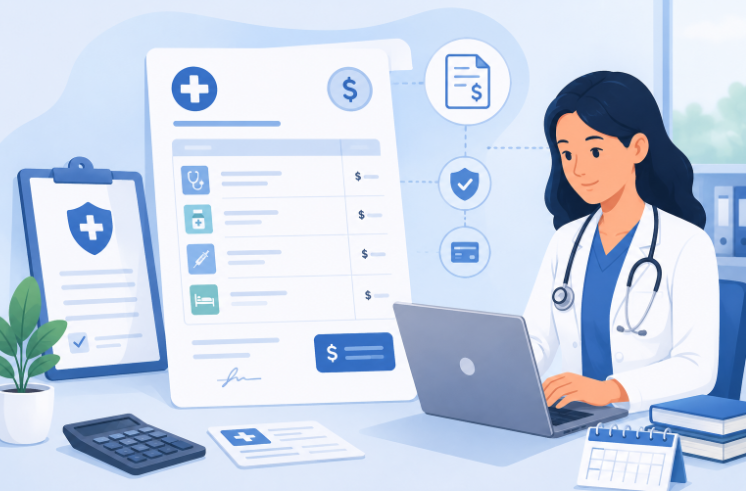
Hospital management software (HMS) is a digital system that brings the administrative, clinical and financial work of a hospital into one platform. Instead of separate registers for registration, billing, pharmacy stock and appointments, everything runs through one connected system. You will also hear the names hospital information system (HIS) and HMIS, which mostly mean the same thing. Our guide to the hospital information system explains the terms.
The real value is not just going digital. It is coordination. When registration, the doctor’s consultation, the lab order and billing are linked, staff spend less time chasing information and more time on patients. For hospitals that still use spreadsheets or half-digital setups, this alone can remove a lot of daily friction.
Why Every Hospital in India Needs a Reliable HMS Today
Indian hospitals, in big cities and small towns alike, face rising patient numbers, tighter rules and more competition from tech-enabled providers. A few pressures are pushing adoption:
- Patients now expect quick registration, digital reports and online appointments as standard.
- Manual records raise the risk of billing errors, duplicate tests and lost patient history.
- Insurance and regulatory paperwork has become more detailed, and paper is hard to keep consistent.
- Staff shortages mean software must reduce repeat work, not add to it.
Hospitals that delay this change often live with avoidable delays that hurt both patient experience and revenue.
What “Best” Really Means: Six Things to Judge
- Fit with your workflow. The software should adapt to how your departments already work, not force a rigid process on them.
- Ease of use. Feature-rich systems only help if busy staff can use them comfortably. Usability matters more than the length of the feature list.
- Truly connected modules. Data should move between OPD, IPD, lab, pharmacy and billing without re-typing.
- India readiness. ABDM and ABHA, insurance and TPA billing, and government scheme support should work today, not “soon”.
- Support and rollout. Training, data migration and a quick response in the first weeks decide whether staff accept the system.
- Security and total cost. Look at access control, backups and the full cost over three to five years, not only the first quote.
Core Features to Look For in a Hospital Management System
Not every HMS offers the same depth. When you shortlist, check whether it covers these areas properly.
| Area | What it should do |
|---|---|
| OPD and IPD | Smooth patient flow from first visit to discharge |
| Billing and insurance | Automatic calculations, TPA and scheme billing, and GST settings |
| Pharmacy and inventory | Live stock, expiry alerts and no shortages or over-stocking |
| Lab and diagnostics | Results update directly, with no re-entry |
| Ward and bed management | Live view of bed availability across departments |
| Operation theatre | Surgery schedules and theatre use |
| Reports and dashboards | Daily numbers on patients, revenue and waiting times |
| Role-based access | Staff see only the data they need |
A platform that handles only one or two of these well is not a full hospital management system. It is a partial tool wearing that label.
India-Specific Checks Before You Buy
This is general information, not legal advice. Check current rules for your state.
- ABDM and ABHA. The Ayushman Bharat Digital Mission lets patients create an ABHA health ID and share records with consent. Ask the vendor which steps are live, and see how ABHA works at the front desk.
- Insurance and schemes. If you treat patients under PM-JAY, your billing must follow scheme packages. The National Health Authority publishes the current rules.
- NHCX. The National Health Claims Exchange lets hospitals and insurers share claims in one digital format. A Ministry of Health release said about 34 insurers and TPAs were live on it as on 21 July 2024. Ask each vendor if the software is ready.
- NABH accreditation. NABH expects documented processes and consistent records, which software helps you keep.
- Data protection. The Digital Personal Data Protection Act, 2023 sets rules for handling personal data.
Hospital Management Software Options in India: A Neutral Shortlist
These are well-known options that appear often in Indian hospital software lists. We make iCAN Careflow, so we have included it too. All names are in alphabetical order, and this is not a ranking. We have not tested the other products. Features and prices change, so check each vendor’s own website and ask for a demo.
| Option | Type | Usually considered by |
|---|---|---|
| Bahmni | Open-source hospital system | Teams with their own IT staff who want to set up and customise it |
| DoctorsApp | Commercial cloud EMR and hospital software | Clinics and hospitals looking for ABDM-enabled software |
| e-Hospital (NIC) | Government-developed hospital system | Government hospitals and facilities |
| Healthray | Commercial HMS and EMR | Hospitals and clinics wanting a cloud HMS with analytics |
| iCAN Careflow | Commercial cloud HMS | Hospitals that want OPD, IPD, OT, ward, lab, billing and ABHA integration in one system |
| MocDoc | Commercial cloud HMS | Small hospitals up to multi-hospital groups, as the vendor describes it |
| Practo (Insta) | Commercial clinic and hospital software | Clinics and OPD-heavy practices |
Use a shortlist of two or three. Run the same demo scenarios with each one, and compare them with the scorecard further down.
Key Implementation Points Before You Switch
Buying software is the easy part. Rollout is where most hospitals struggle. Before you commit, ask how the move will actually happen. Will old patient records be migrated, or will staff start from zero? How long is the usual onboarding, and does the vendor train non-technical staff on site?
Ask how much you can customise. Every hospital’s workflow is a little different, and software that forces rigid steps on a department that already works well often leads to staff resistance instead of adoption.
Data Security and Compliance
Hospitals hold some of the most sensitive personal data there is: medical history, diagnoses and financial details. Any HMS you consider should offer encrypted storage, controlled user access, and detailed activity logs that show who opened or changed patient records. See what to check on data security.
Before you finalise a vendor, confirm how backups work, what happens if the system fails, and who owns the data. It is the hospital’s data, not the vendor’s, that is at stake.
Scalability: Software That Grows With You
A common mistake is choosing only for today. A 50-bed hospital may become a 150-bed one in a few years, add departments or open a second branch. Software that cannot scale forces a costly, disruptive move later. Look for flexible systems that can add users, departments and branches without a full overhaul.
Integrations That Matter
No hospital software works alone. A good HMS should connect with lab machines, pharmacy billing, insurance and TPA portals, and SMS or WhatsApp tools for patient messages. This is where a standalone billing tool differs from true hospital administration software, which is built to connect every layer of operations. Ask which integrations work out of the box and which need extra development.
Cloud-Based or On-Premise?
Cloud systems usually cost less to start, allow easy remote access and update themselves, which suits many small and mid-sized hospitals. On-premise systems give more direct control over servers and data, which some large institutions prefer. The choice depends on budget, IT staff and how much control you want. We compare both in our HIS guide.
Choosing Software by Hospital Size
- Small clinics and nursing homes usually need simple OPD management, basic billing and appointments, without extra complexity.
- Mid-sized hospitals need full OPD and IPD workflows, pharmacy and lab links, and multi-user roles.
- Large hospitals and multi-specialty chains need multi-branch sync, detailed analytics and deeper audit support.
Match the software to your current size, with room to grow. That avoids both overpaying for unused features and outgrowing the system too soon. If you want a more advanced setup, read our guide to the smart hospital management system.
What Affects the Cost?
- The number of beds, users and branches
- The modules you choose
- Cloud or on-premise setup
- Data migration, setup and staff training
- Links to lab machines, payment devices or insurance systems
- Support hours and updates
Ask for a written quote that shows what is included and what costs extra, such as training, extra modules or extra branches.
How to Choose the Best Hospital Management Software in India
Score each shortlisted product from 1 to 5 on these points.
- Modules included. Confirm which core modules (OPD, IPD, billing, pharmacy, lab) are included and which are paid add-ons.
- Live demo. Ask for a demo that uses your own scenarios: an OPD visit, an admission, a discharge bill and a cashless claim.
- Ease of use. Let two or three of your own staff try it.
- India readiness. Check ABHA, TPA and scheme billing, and NHCX plans.
- Support. Test how fast the vendor answers, especially in the first weeks.
- Security. Review access control, activity logs, encryption and backups.
- Reference. Speak to at least one existing customer of a similar size.
- Total cost. Compare the full cost over three to five years.
Vendors who are confident in their product do not mind walking you through these points. Be careful if they keep pointing you to brochures instead. Three mistakes to avoid: choosing on price alone, switching every department on the same day, and skipping staff training.
Frequently Asked Questions
What makes a hospital management software “the best” for a given hospital?
There is no single best hospital management software in India that fits every hospital. It depends on hospital size, current workflow gaps, rules you must follow, and budget. The right fit covers your core needs without making you pay for complexity you will not use.
What is the difference between an HMS and an EMR?
An EMR is the digital record of a patient’s medical history. A hospital management system (HMS) is the wider system that also handles registration, billing, pharmacy, lab, beds and reports. A good HMS includes an EMR.
How long does it take to implement a new HMS?
It depends on hospital size and how much data must be moved. Most mid-sized hospitals do a phased rollout, starting with core modules such as registration and billing, and then add other departments.
Is cloud-based hospital software safe for sensitive patient data?
Yes, when the vendor uses encryption, role-based access, activity logs and regular backups, and follows the Digital Personal Data Protection Act, 2023. Ask for these details in writing before you decide.
Can small hospitals afford a full-featured hospital management system?
Often, yes. Many vendors, including cloud-based ones, offer modular pricing, so smaller hospitals can start with essential modules and add more as they grow.
Does the software need to support ABDM and ABHA?
There is no single rule that forces every hospital to use it, but ABHA creation, consent-based record sharing and claims exchange are increasingly expected. Choose software that supports them, and ask to see them working. Check the latest rules for your state.
How much does hospital management software cost in India?
Prices vary widely. The main factors are the number of beds and users, the modules you pick, cloud or on-premise setup, data migration, training and support. Ask each vendor for a written quote that shows what is included and what costs extra.
Should I choose free or open-source hospital software?
It can work if you have your own IT team to set it up, customise it and keep it secure. Without that, a paid cloud system with support is usually safer. Compare the total cost of setup, training and upkeep, not just the licence fee.
Related reading: What Is a Hospital Information System (HIS)? · Hospital Administration Software in India · Medical Invoicing Software in India · Hospital EMR Systems · OPD Management Software in India
Conclusion
Finding the best hospital management software in India is not about picking the platform with the longest feature list. It is about finding software that fits your hospital’s size, workflow and growth plans, while keeping patient data safe and operations connected. Time spent checking rollout support, scalability, India-specific features and integrations now saves you from costly switching later.
Ready to Simplify Hospital Operations With the Right Software?
iCAN Careflow brings OPD, IPD, billing, pharmacy and lab management into one connected platform built for hospitals across India. See how it can work for your hospital.