 INDIA
INDIA
 USA
USAOPD Management Software for Faster Patient Flow in Indian Hospitals
Registration, appointments, queues, consultation and billing in one system, so patients wait less and doctors see more of them.
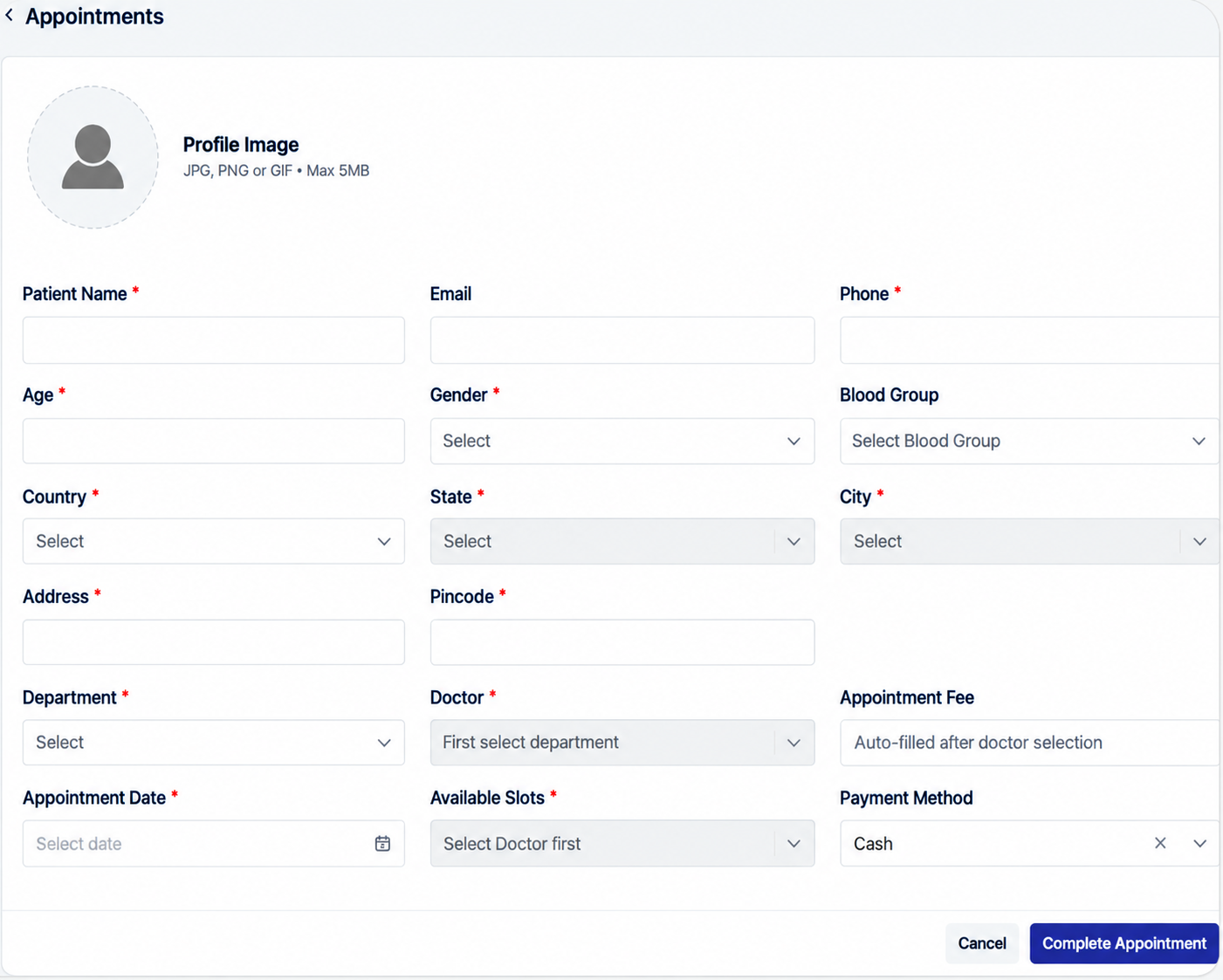
Long queues, paper registers and doctors who are never quite where the front desk thinks they are. That is what most outpatient departments in India deal with every morning. OPD Management software puts the whole outpatient visit in one place, from the first registration to the bill and the follow-up date. It is made for clinics, nursing homes and hospitals of any size that want the desk to move faster without hiring more people. Patients get seen sooner, front desk staff stop repeating the same questions, and the doctor starts each consultation with the details already on screen.
Business Objective
The aim of the OPD module is simple: improve patient flow, cut the waiting time and help every doctor see more patients in a day without rushing. AI-assisted scheduling handles the routine work at the front desk, so staff can spend their time with patients instead of registers.
Key Features
Patient Registration
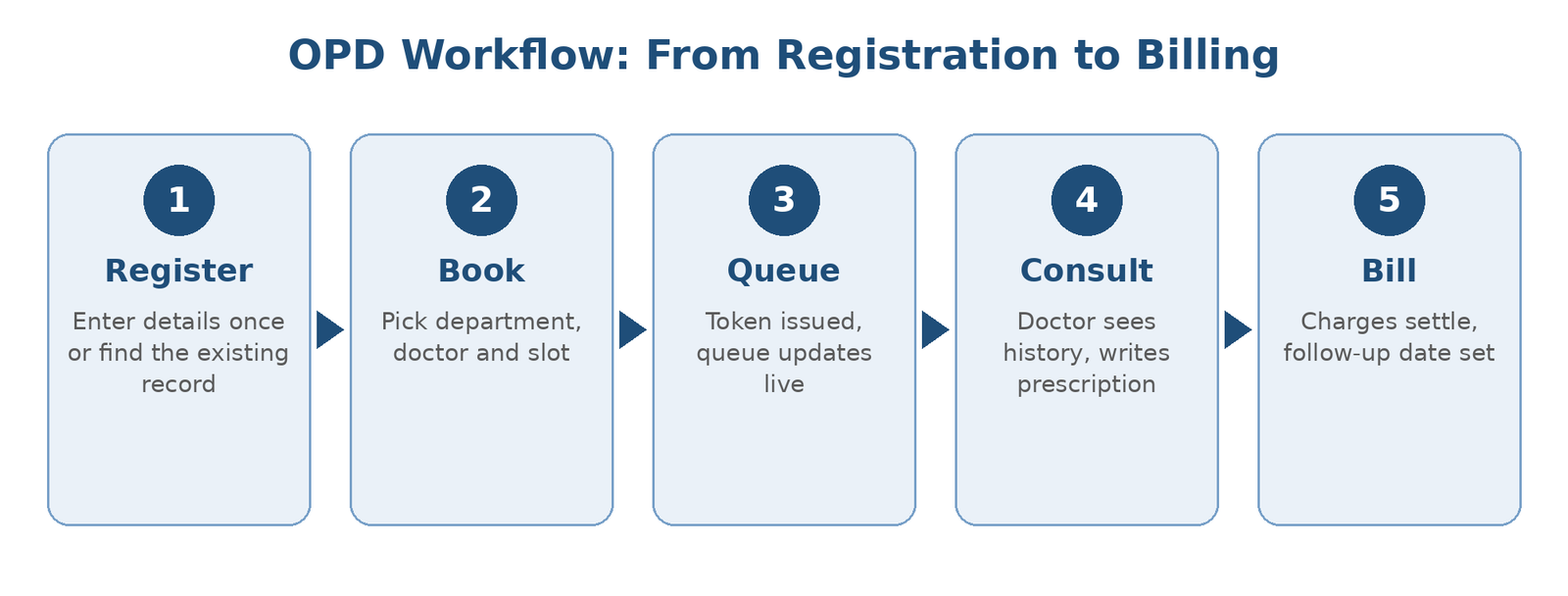
Name, age, gender, blood group, phone and address are entered once. A returning patient is found again in seconds.
Appointment Scheduling
Choose the department, then the doctor, then a slot. The consultation fee fills in by itself once the doctor is selected.
Doctor Availability
Slots shown are only the ones the selected doctor actually has open, so the desk never books someone into an empty room.
Easy Rescheduling
When a doctor is delayed or a patient needs another time, the change is made without disturbing the rest of the day.
Queue and Token Management
Every patient gets a token and the queue for each doctor moves as consultations finish.
Digital Prescriptions
Doctors create prescriptions on screen with accurate treatment details, so there is no handwriting to decode at the pharmacy.
OPD Billing
Consultation charges go straight into the bill, and the payment method is recorded at the counter.
Patient Flow Tracking
See who is waiting, who is with the doctor and who is at billing, all on one screen.
How the OPD Workflow Works
Problems It Solves
Most of what slows an OPD down comes from paper and guesswork. Moving to a digital workflow removes both.
| Before | With I Can Care Flow |
|---|---|
| Details written again at every counter | Entered once and shared with every desk |
| Double bookings and doctor confusion | Live availability prevents clashes |
| Handwritten prescriptions | Clear digital prescriptions |
| Waiting with no idea of the turn | Token and queue that everyone can see |
| Billing errors from missing charges | Charges flow in from the consultation |
Who Can Use It?
Works With the Rest of Your Hospital
When a patient needs admission, the record goes straight into IPD Management. Tests ordered by the doctor go to Lab Management, and the same patient record carries through to Ward Management and OT Management when needed.
Reports and Analytics
Every visit is recorded as it happens, so reports are ready without anyone collecting numbers by hand. Management can see which doctors are overbooked, where the wait is longest and how the day compares with last week.
Why Choose I Can Care Flow
I Can Care Flow is built around the way Indian hospitals actually work, with busy mornings and a mix of walk-in and booked patients. The OPD module is one part of a connected set, so growing hospitals do not have to join tools from different vendors.
© All Rights Reserved 2026 by iCAN Infotechsolutions